How to Set Up Facebook Ads the Right Way (2026): The Setup That Prevents Bans
Here’s what nobody tells you about Facebook ad bans. Most of them don’t start when you scale. They start the day you set everything up. A fragile foundation can coast for weeks, even months, until one small trigger (a login flag, a payment issue, a policy warning) brings the whole thing down at once. Setting up your Meta assets the right way was never about advanced tactics. It’s about building a structure where a single flag can’t take the whole business with it.
The advertisers who lose everything rarely did anything dramatic. They just built on a setup with no backup, then panicked the first time Meta touched it. So let me show you how to build a foundation that actually survives.
The five layers of a setup that survives
Meta reads your account across five layers. Miss one and the whole structure turns fragile:
Business Manager: own it, don’t just connect it
Run one Business Manager per legal entity, and keep several ad accounts inside it, so a restriction on one doesn’t freeze all your advertising. Here’s the detail that makes or breaks you: ownership. Assets created inside the BM (page, pixel, Instagram) belong to it for good. Assets merely connected through a personal profile vanish the second that profile loses access. So own everything. Page owned by the BM from day one, pixel created inside it and verified in Events Manager.
Profiles: the admin/employee separation that saves you
This one structural choice prevents most of the total wipeouts I see:
Two admin profiles (both with 2FA, aged, barely touched) are your spare keys in a safe. You only reach for them in an emergency, so they never attract flags. One employee profile does the daily work. That’s the exposed one, so if it gets disabled you swap it without ever touching the BM. Run everything on a single profile and you’ve built the catastrophic-failure setup. One flag, and all of it goes dark at once.
And isolation matters far more than most people realise. A Facebook-restrictions expert we sat down with on our podcast described the trap perfectly. After his main profile was disabled, he tried spinning up new ones from the same computer. His sister’s, his dad’s, his mom’s. Meta restricted every single one, “because I was not doing it the right way.” Try to run a fresh profile from the same machine or IP and it gets disabled too. Meta links accounts by the shared environment, the device, the IP, the fingerprint, not just the individual asset. Real separation, meaning distinct clean environments per profile, is what keeps one flag from becoming ten.
Don’t run everything on one page, or one Business Manager
This is the redundancy principle in practice. No single page or Business Manager should ever carry your whole business. The full defensive playbook, several real pages around distinct avatars, feedback scores protected, and a pixel-house that keeps your pixel out of a bannable BM, lives here: Facebook backup pages.
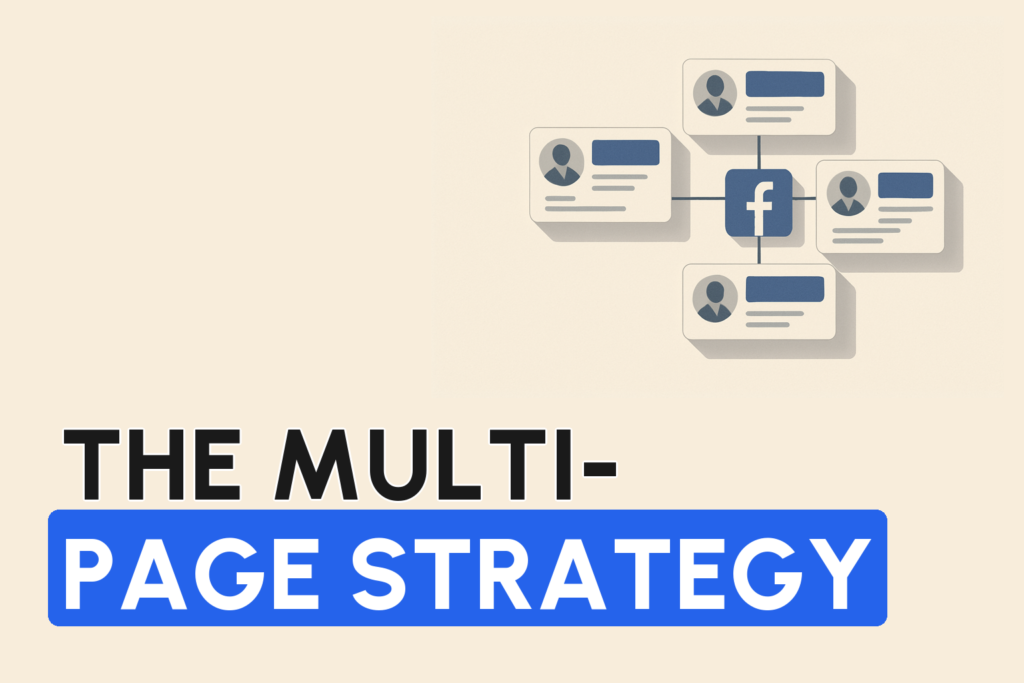
The single most fragile setup is also the most common. Every ad, all your social proof, all your data, living on one page under one Business Manager. One selfie-verification flag and the whole business goes to zero overnight. The brands doing $50k–$100k a day never run like this. They spread across multiple pages, on separate Business Managers and separate profiles. And it isn’t only defense. One client of ours went from a stuck $8k/day to $35k/day in six weeks just by splitting one page into five avatar-specific pages (the full multi-page playbook). Same product, same offer, just the right message reaching the right person. Then when a page does have a bad week, it costs about 20% of revenue instead of 100%.
Two rules make it work. First, keep them genuinely isolated. Meta tracks association, so a backup page linked to a restricted BM gets dragged down with it. Separate BMs, separate profiles, real independence (an agency account adds another layer of separation and trust). Second, warm the pages up before you run ads. Meta treats a brand-new empty page as high-risk. Higher CPM, worse delivery, faster restriction. Give it a little organic activity, some history, a profile that looks real, and a warmed page can outperform a fresh one many times over. Each page also carries its own feedback score and reputation, so protect every one, not just the main.
Payments and verification: the boring stuff that bans you
- One payment method per ad account. Share a card across accounts and it reads as account farming.
- Match the billing country to the BM’s registered location. A mismatch is a fraud signal.
- Verify before you launch. Unverified businesses get lower spend limits and more scrutiny from the very first impression. Complete business and domain verification first.
- Agency accounts sidestep payment flags entirely. An agency ad account runs on a top-up model where the payment method belongs to the agency, which makes payment-based flags effectively impossible.
The first campaign: build trust, don’t spook the system
New accounts get treated as higher-risk, so your early behaviour sets the trajectory. Start with modest daily budgets and scale 20–30% every few days. Never double overnight, because that looks like fraud or volume farming. Launch a manageable number of creatives, not 50 at once (that’s an unusual review-load flag). And audit every ad and landing page against Meta’s policies before you launch. A violation on a brand-new account has no positive history to offset it.
Why cascade bans happen, and how structure stops them
The disable itself is rarely the disaster. The panic is. One account gets restricted, the advertiser scrambles, new account, moved assets, different profile logins, and each rushed move creates fresh signals until Meta flags the whole Business Manager. Proper setup limits the blast radius:
The first rule when something gets restricted: don’t act fast. Don’t rebuild banned assets in a rushed sequence. With two inactive admins, a replaceable employee profile, multiple ad accounts, BM-owned assets and separated payments, a single flag stays a single flag. (If you’re already mid-ban, read what to do when your account is disabled.)
The setup mistakes that quietly cost accounts
| Mistake | Impact | Prevention |
|---|---|---|
| Single admin profile | Total lockdown if flagged | Two inactive admin profiles |
| Assets connected, not owned | Disconnect if a profile changes | Own all assets inside the BM |
| No 2FA on profiles | Lower trust, higher flag risk | 2FA on every profile |
| Shared payment across accounts | Account-farming flag | One payment method per account |
| Launching unverified | Lower limits, delivery delays | Verify business + domain first |
| Full budget at launch | Fraud / farming flag | Scale 20–30% every few days |
Get your Meta assets built right, from day one
The errors above are rarely one big mistake. They’re small technical details in the wrong order that stay invisible until something trips them. Building the whole foundation correctly, profiles, BM, ad accounts, page, pixel, payments, verification and backups, is exactly what our team does. Unlimited Scaling’s Meta assets setup builds it in the right sequence with redundancy from the start, so you’re not discovering a structural flaw halfway through your growth phase.
Set up inside one country, and stay in it
One of the most overlooked parts of a clean setup is geographic consistency. Based on the client cases we’ve worked through, most fresh-account red flags aren’t triggered by anything you do later. They’re baked in at the moment of opening, when the signals don’t line up.
The principle we follow is simple. Everything about a structure should look like it belongs to one place. If the documents and the company are Italian, then in our experience the connection (a VPS or clean residential IP), the identity verification, the phone number and the payment method should all read as Italian too, even if the operator is physically sitting in Bali. Meta isn’t publishing the exact weighting here, but the reports we see line up. A US passport verifying from a Bali IP on a card issued in a third country hands its automated systems three reasons to ask questions before you’ve spent a dollar.
- Match the environment to the identity. One jurisdiction across VPS/IP, documents, verification and billing.
- Open structures one at a time. One LLC, one payment processor, one connection, warmed independently. Not ten spun up in a batch off the same machine.
- Keep each structure genuinely separate so a flag on one can’t reach the others (an agency ad account adds a further layer here because the account history and spend limit already exist).
Login hygiene: the daily habits that keep a clean profile clean
The section above covers the admin/employee split. What tends to get missed is the day-to-day behaviour on those profiles. And in our experience that’s exactly where a technically perfect structure still gets flagged.
Two habits come up again and again in the restriction cases we review:
- Log in from the same device every day, and keep the profile alive. A backup admin that never gets touched, then suddenly logs in from a new environment during an emergency, looks like a compromised account. The advertisers who stay stable log into each profile daily from a consistent device and do small, human things on it, not just when something breaks.
- Don’t log into a fresh profile and immediately open Business Manager or launch ads. From the patterns we’ve seen, jumping straight from a brand-new login to
business.facebook.comand a live campaign is one of the fastest ways to spook the system. Let the profile behave like a person first.
The same caution applies to what you connect. Based on cases advertisers have brought to us, plugging unvetted third-party or AI tools into a profile can trigger an identity check on its own. Meta appears to read the new access as “someone else is in here,” and the profile gets pushed into selfie verification even though nothing was actually compromised. Treat every integration as a trust decision, not a convenience.
Build your backups before you need them, not during a ban wave
Since the 2026 wave of random selfie-verification prompts, this has become the single most important part of a resilient setup. In the reports we’ve seen, a large share of profiles hit with a forced selfie check end up restricted anyway, even with a genuine passport and a real selfie. So treating verification as your safety net is a mistake.
The real safety net is redundancy built in advance. If one profile takes a hit and it’s the only admin on your assets, you can lose access to every Business Manager, ad account and page underneath it in one shot. A structure with several strong, already-verified backup profiles turns a single restriction into an inconvenience instead of a wipeout.
The reason to do it early comes down to supply. When a wave hits, everyone scrambles for the same clean profiles at once and the good providers sell out. Backups are cheap insurance when things are calm, and nearly impossible to source in the middle of the storm.
Never “circumvent” a block. It’s the fastest route to a permanent ban
How you react to your first restriction is part of your setup discipline, because your foundational assets, the domain, the pixel, the page, are exactly what a panicked response puts at risk.
The trap we see most often goes like this. An asset gets restricted, so the advertiser immediately rebuilds with the same domain, the same creative, or the same content, and tries again. In our experience Meta reads that as circumventing a block and re-restricts the new asset almost immediately, often within a day or two. Now you’ve got two flagged assets on the structure instead of one. Stacked flags are what turn a recoverable restriction into a permanent ban.
A cleaner path, based on how we handle these cases:
- Don’t reflexively hit the blue “request review” button. A rushed, unprepared appeal can lock the decision in against you.
- Where possible, work to reactivate the original restricted asset and show a clean, corrected picture rather than spinning up a duplicate that reuses the flagged domain or content.
- Fix the actual cause first. A policy issue, a low page feedback score, an aggressive creative. Rebuilding on top of an unresolved trigger just reproduces the ban.
None of the mechanics above are officially published by Meta. They’re patterns from the client cases and restriction reports we work through, and they’re why we treat the foundation, not the scaling, as the part that decides whether an account survives.
FAQ
How do I set up Facebook ads the right way to avoid bans?
Build a structure with redundancy: one Business Manager per entity with several ad accounts inside it, all assets owned (not just connected), an admin/employee profile split with 2FA everywhere, one payment method per account with matched billing country, full verification before launch, and slow early scaling. The goal is that a single flag can never take the whole operation down.
Why do Facebook accounts get banned right after setup?
Usually because of a fragile foundation, not scaling. A single profile running everything, assets connected instead of owned, no 2FA, shared payment methods, or launching unverified all create flag triggers. Then one restriction plus a panicked response (new account, moved assets, profile switches) cascades into a full Business Manager lockdown.
How fast should I scale a new Facebook ad account?
Slowly. Start with modest daily budgets and increase 20–30% every few days rather than doubling overnight, which looks like fraud or volume farming to Meta’s automated systems. Launch a manageable number of creatives, not dozens at once, and let trust build as the account ages.
Written by Mouss, founder of Unlimited Scaling, an agency that has helped 1,000+ e-commerce brands recover and protect their Meta ad assets. Based in Bali, he has spent 8+ years inside the mechanics of Meta’s ad ecosystem, feedback scores, HIVA tiers, agency accounts, bans and appeals, and shares field data from real client cases. Follow him on Instagram @mouss_unlimitedscaling.