Facebook Ad Account Disabled or Banned? The Complete 2026 Recovery Guide
Most Facebook ad account disables in 2026 are recoverable. Yes, even a lot of the ones stamped “permanent.” But your odds get decided in the first 48 hours, by how well you read which asset went down and why, and by which move you make next: recover it, rent a sturdier one, or (almost never) buy a new one. The disable itself rarely kills the business. The panic does.
This is the full guide to Meta ad bans. What actually happens. Why accounts get blocked. What a block means on each different asset. What’s genuinely recoverable versus gone for good. How the appeal really works. And the strategic call most people fumble: unblock vs. rent vs. buy. Across the accounts we handle, bans stopped being an edge case in 2026 and became the case. We broke those numbers down separately in our 2026 Meta ban report (935 accounts). If your account just went down, you’re not alone, and it’s very likely not over.
Why Facebook bans ad accounts in 2026
In our data, ecom disables fall into a few consistent buckets. The mix matters, because it points you toward the right path:
Under those buckets sit the specific triggers we see over and over. The number-one cause is ignoring Meta’s policies in the creative. Forcing an ad live when Meta doesn’t want it live stacks up rejections, and a pile of rejections leads straight to an account ban. So if an ad gets rejected, edit it rather than re-uploading the same thing. Then there’s spend. The more you spend, the more exposed you are. An inappropriate creative pushed to more people pulls more reports and more angry comments, so it burns faster. And then the newer automated triggers: connecting certain AI tools, deactivating too many ads at once, traveling to a new country on a new IP, or just getting swept up in a wave.
That middle bucket, automated flags and ban waves, is the thing that defines 2026. Meta’s enforcement now pattern-matches hard, and it flags legitimate advertisers constantly. A big driver is the selfie-verification wave. Meta forces profile verification on thousands of accounts, and even real profiles with genuine passports get restricted anyway. Because your profile sits above your assets, one flagged profile can freeze the Business Manager, ad accounts and pages beneath it. We’ve watched accounts spending $500k to $1M a month go dark overnight from a single profile check. Two other 2026 triggers worth knowing: Meta now requires an Instagram account on every advertising page (no IG, no delivery), and at scale, DMCA complaints take down a huge share of brands. Your risk profile literally changes as you grow.
The types of block: restricted vs. disabled vs. BM-disabled vs. permanent
Before you touch anything, work out exactly which asset is down and how hard it got hit. These are not the same problem:
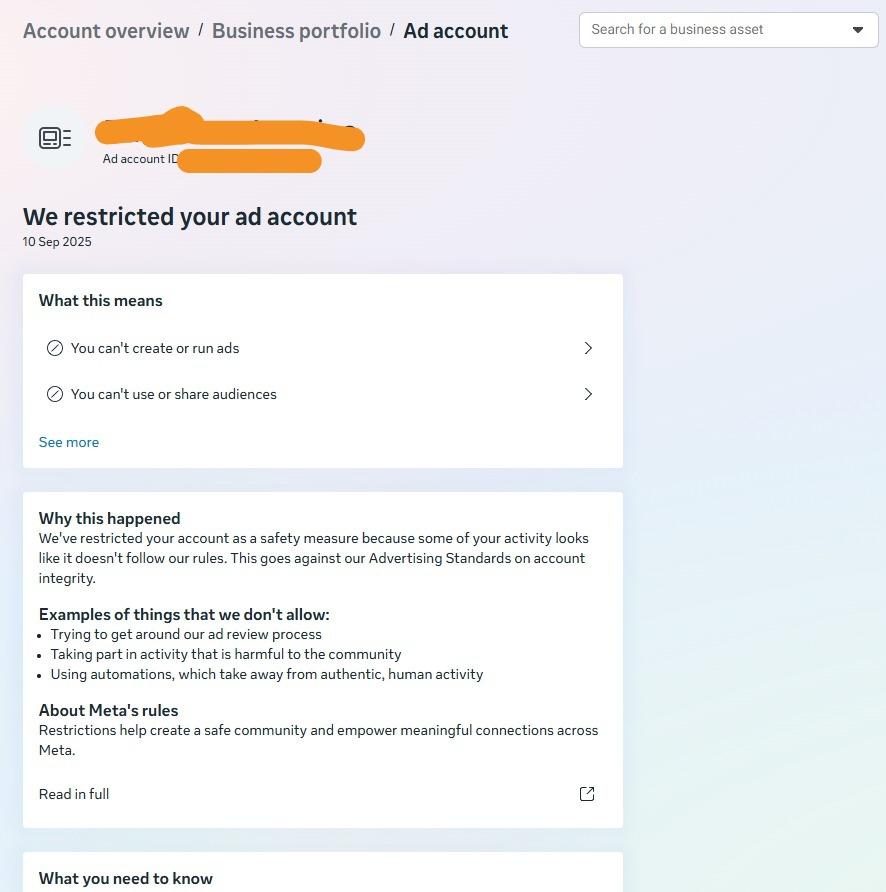
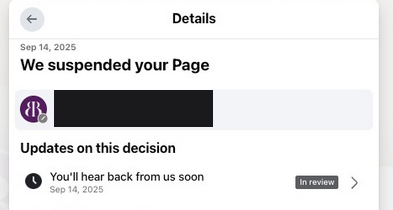
A restricted account still runs, just with limits. (A restricted page is its own animal. See Facebook page restricted or blocked.) A disabled ad account pauses your campaigns but usually leaves you access to Business Manager and your page. A disabled Business Manager takes everything under it down at once. And permanently banned is the scariest label of all. Here’s the catch: “permanent” gets slapped on genuinely unrecoverable cases and on cases that can still be resolved. So the severity level is only half the story. What actually decides your recovery odds is which asset went down.
What a block means on each asset, and what’s recoverable
This is the part most guides skip, and it’s the most important. Meta doesn’t ban “you.” It bans a specific asset, and the consequences (and the recoverability) are completely different depending on which one. The rule that governs everything: the Business Manager is the parent. The moment a page or pixel is added to a BM, that BM owns it. So if the BM is banned, the page and pixel inside it are stuck there with it.
The two genuinely brutal cases, the ones we hear about every single week, are both about the parent going down. One is a personal profile lost to an ID check with no backup profile behind it (you lose access to every Business Manager under it). The other is a banned Business Manager holding your page and pixel (they’re locked inside it, unrecoverable). Your ad account and page are usually recoverable. Your pixel and a no-backup profile often are not. That one distinction should shape how you set everything up. Which is exactly why backup and structure (below) matter as much as the appeal itself.
The first 48 hours decide it
This is where accounts get saved or lost. The disable is rarely fatal. The panic response is. Here’s the split we drill into every client:
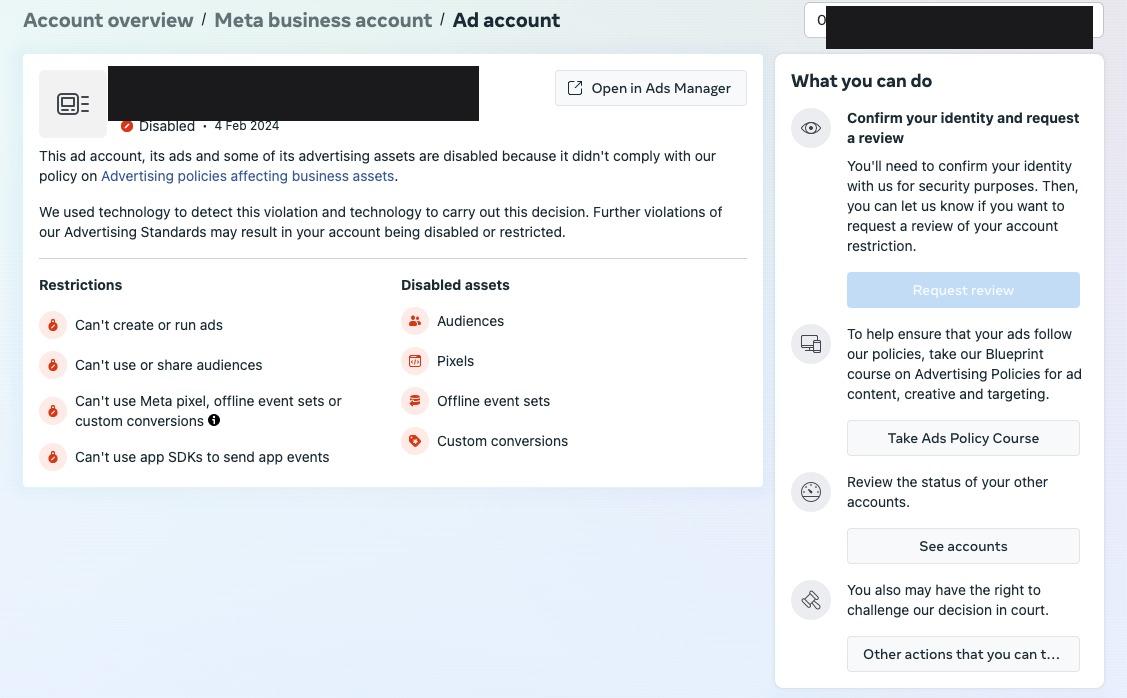
Where to read your notice. Account Quality now lives inside Business Support Home (Business Settings → Account Quality → Ad Account). It shows the exact policy cited, which assets got hit, the restriction level, and whether a Request Review button is available. Screenshot all of it. The wording shifts as Meta processes the case, and the original notice is what you appeal against. Check your inbox too. Meta’s real notices come from facebookmail.com, support@fb.com and ads-noreply@support.facebook.com, and the login screen itself will say something like “We suspended your account” or “We disabled your ad account.” Anything else promising to “recover” your account out of the blue is a scam.
Two mistakes do most of the damage. First, spinning up a new ad account from the same environment. Meta links accounts by device, IP, payment method and behaviour, so the new one gets flagged within hours. That’s the re-ban loop. Second, sending the case to multiple recovery providers at once. Conflicting actions on the same account create contradictory signals in Meta’s review system and tank your odds. Pick one path and let it run.
Your three real options: unblock, rent, or buy
Once you know what’s down, there are only three strategic responses. Choosing the right one, and not mixing them, is the whole game. Most people default to the worst option because it looks fastest.
- Unblock (recover). The right first move for a disabled account that’s legitimately yours. You keep your history, your pixel learning and your spend limits. Across all case types including permanent bans, our recovery work runs around an 80% success rate with a full refund if it fails. If the asset is worth saving, start here.
- Rent (an agency ad account). The scaling default, and the resilient way to keep advertising while a recovery runs. Rented through an official Meta reseller, these accounts start on a high-trust Business Manager, remove the spend cap, and, crucially, tend to survive ban waves that sweep self-serve setups, because the account doesn’t live under your profile. The trade-off is cash flow: you top up and usually pay a percentage fee. If you’re spending seriously, this is the stable option.
- Buy (a grey-market account). The one that looks fastest and is almost always the wrong call. Bought accounts are typically stolen or fake, already carry flags, and vanish mid-scale, often taking your pixel and data with them. No support, no recourse, and you inherit someone else’s ban history. Renting through an official reseller gives you the “someone else’s high-trust account” benefit without the grey-market downside. Buying is the trap. Renting is the legitimate version of the same idea.
If you unblock: how the appeal actually works
Choosing to recover means running the appeal cleanly. See the full step-by-step recovery playbook for every asset. There are two ways to do it, and the whole game is not mixing them:
Path 1, the self-service appeal. Go to Account Quality and submit a factual statement under 200 words: who you are, why the decision looks like an error or what you’ve fixed, and your commitment to policy going forward. Don’t beg. Don’t threaten. Just state facts. A response usually lands in 24 to 48 hours. Path 2, professional recovery. A specialist handles it end to end. First a proper case audit and ban diagnosis (ban-reason category, policy trigger, account history, prior appeals, risk flags) to work out the correct path before any appeal is submitted, then a case-specific appeal instead of a generic one. Here’s the key nuance: a case that reaches a specialist before any appeal has been filed is the cleanest, with the most channels still open, because every failed self-service attempt adds noise to the review history. Either way, you have a hard 180-day window from the disable date. After that, the standard review path closes.
Here’s the shape of a self-service appeal that reads as legitimate. Factual, short, no emotion:
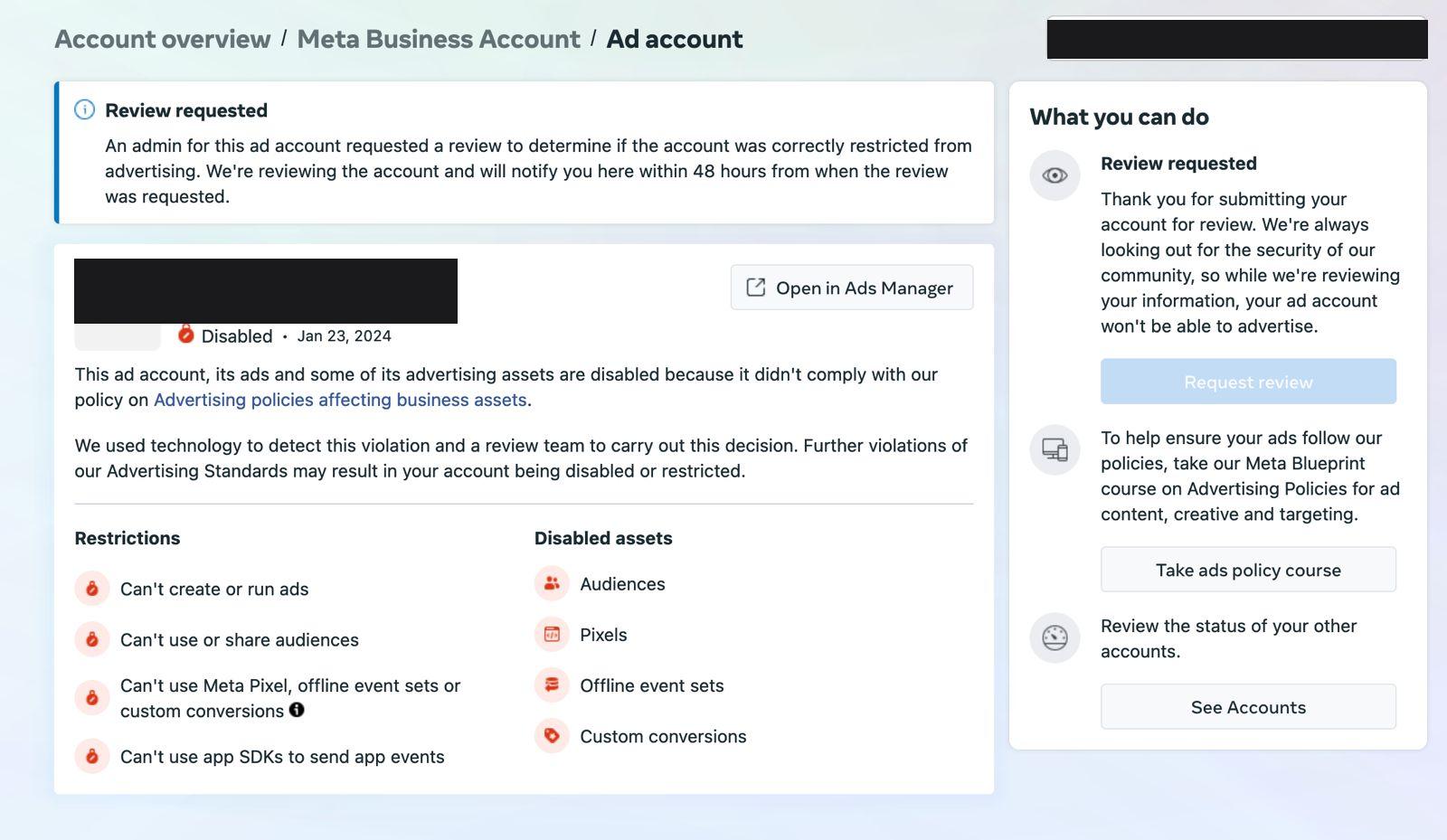
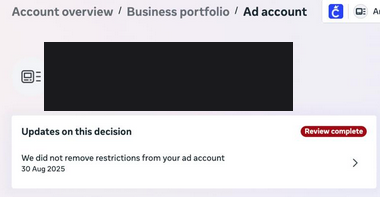
A workable template: “My name is [name], owner of [business], a legitimate ecommerce store at [URL] selling [product category]. Our ad account was disabled on [date]. We believe this was an automated error / we have corrected [specific issue]. We have always aimed to follow Meta’s advertising policies and will continue to. Please re-review the account. Thank you.” Keep it under 200 words and don’t fire it off repeatedly. Each duplicate adds noise to the review history.
Backup: how to make the next ban survivable
The biggest lesson from years of this: you can’t guarantee you’ll never get banned. Every Meta update shifts something. So the real goal isn’t avoiding bans, it’s making them not matter. A structure built for that treats a profile or account ban as a two-hour swap, not a shutdown, because the assets that matter were never exposed to the thing that went down. Five moves:
Each of these has its own deep dive: backup profiles for the selfie-verification wave, backup pages and the pixel house, and running an agency ad account so your spend isn’t tied to a BM you own. Backups only work if you build them before the ban. It’s insurance you can’t buy after the fire.
Is a “permanent” ban really permanent?
Often, no. In practice Meta applies the “permanent” label to genuinely unrecoverable cases and to ones that can still be resolved. Genuinely unrecoverable means the account fully deleted with no data, severe ToS breaches (fraud at scale and worse), the 180-day window missed, a pixel or page trapped under a banned BM, or repeat reinstatements followed by the same violation. For a legitimate ecom brand, most “permanent” bans fall outside those. Which is why, across all case types including permanent bans, our recovery work runs around an 80% success rate, with a full refund if it fails. Scrutiny on Meta’s enforcement is rising too (its Oversight Board reviewed permanent bans in early 2026), which gives Meta more reason to reinstate borderline cases correctly. If you keep landing back here (banned, rebuild, banned again) the real problem is the re-ban loop, not the individual account.
After recovery: don’t get hit again
Recovery isn’t the finish line. Accounts disabled once are statistically more likely to get hit again unless you fix what’s underneath:
- Audit ad content and landing pages against current 2026 standards. What was compliant 18 months ago may not be now, and policy is the number-one ban cause.
- Fix the customer-experience signal. A degraded feedback score quietly raises ban risk and CPMs. Meta still measures post-purchase satisfaction even though the score is now invisible.
- Build the backup structure above so a single flag can’t take the whole business down.
- Move higher spend onto an agency ad account, which is far more resilient to automated flag systems.
Get your account back, the right way
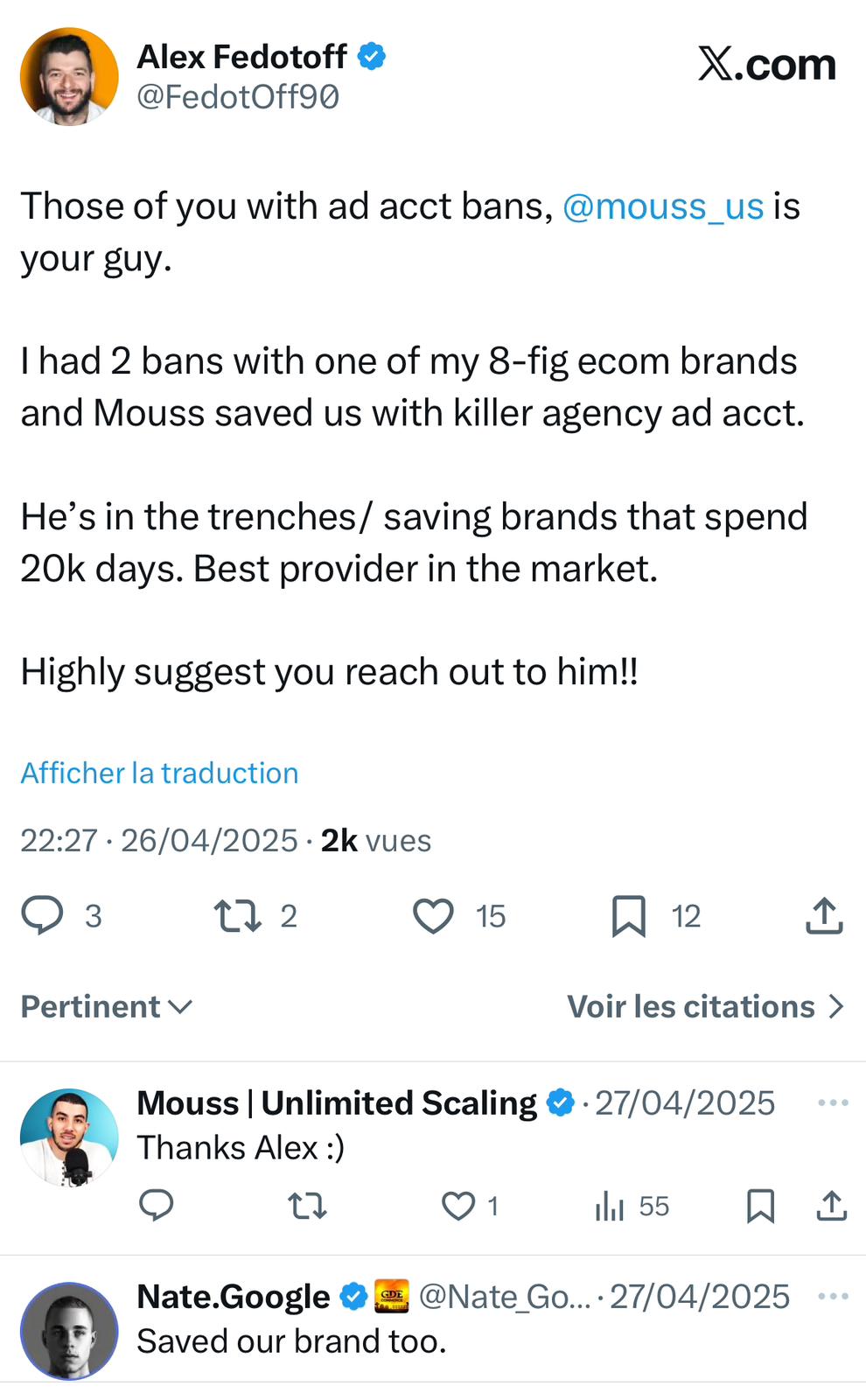
If your account is down, the fastest thing you can do is get an honest read on the cause and the right move (unblock, rent, or, rarely, something else) before you burn an appeal. That’s exactly what our team does. Unlimited Scaling’s unban & asset recovery has handled cases across 1,000+ ecom brands, with an ~80% success rate across all case types and a full refund if recovery fails. One path, handled properly, not four conflicting ones.
The setup mistake underneath most chain-bans: admin vs. employee profiles
One structural detail decides whether a single flag stays contained or takes your whole operation down at once. In our experience it’s the single most common mistake we see in ecom setups. It comes down to the difference between an admin profile and an employee profile, and which one you actually run ads from.
The mistake is having several admin profiles and no employees. When every profile is an admin on the Business Manager, a restriction on one can cascade. Based on the accounts we handle, we’ve watched them go down “in a row,” each linked profile flagging the next, until the operator has lost access to everything and has no clue what happened. The fix is a deliberate two-role structure:
The logic is simple. The profile actually running the ads is the one most exposed to a ban, from rejections, from too many rapid actions, from travel, from a random glitch. So that profile should be the disposable one. In our experience, if the profile pulling the risk is a plain employee, losing it is a two-minute swap: the admin adds a new employee and you’re back live. If that same profile is an admin, its ban can drag the rest of the structure down with it. Keep the admin passive and safe (many operators run it from a stable home environment they never trigger flags on), and let a replaceable employee do the daily work. This pairs directly with the backup-profile approach for the selfie-verification wave. More disposable profiles means a lost one is never a crisis.
Why the replacement account gets banned faster than the first one
The instinct after a ban is to spin up a fresh profile and carry on. In our experience it’s the single fastest way to get re-banned, and often the new account is restricted the moment it connects. That’s because Meta’s systems appear to link accounts across a long list of shared signals, and reusing any one of them re-attaches the new account to the banned history. Based on the patterns we see, the connective tissue runs far wider than most people check:
- Device. The same computer.
- IP address. The same network.
- Payment. The same credit card, the one people forget.
- Assets. The same Business Manager, pixel, ad account or page.
- Domain. Pushing the identical domain name again (domain forwarding is the usual workaround).
- Creative. Re-uploading the exact same creative that’s already tied to a prior account, which reads as a duplicate or copyright signal.
Reuse one link in that chain and, in our experience, the whole thing gets re-connected and re-flagged. This is the mechanism behind the re-ban loop the first-48-hours section warns about. But a genuinely clean environment still isn’t always enough, and this is the part almost nobody accounts for: a brand-new account that spends hard on day one looks like a burner. A real business takes baby steps on a new Business Manager. It doesn’t complete every setting, verify everything and jump straight to five figures a day within 24 hours. Based on the accounts we handle, a fresh setup that behaves like a real business over its first weeks (a warmed-up profile with genuine activity, small starting spend while payments clear, a page with real posts) survives far longer than a clean-but-aggressive one. If you can’t change device, IP and card each time, or you don’t want to rebuild and warm up from scratch, an agency ad account sidesteps most of the linkage list, because the account doesn’t live under your own profile or BM in the first place.
The rejected-ad move most advertisers get wrong
A single ad rejection isn’t the problem. How you react to it is. The reflex, hitting Request Review or re-uploading the same creative, is in our experience exactly what turns one rejection into a pile of them, and a pile of rejections is one of the most reliable ways to lose the whole ad account. Two moves we’d suggest instead, based on what we see work:
- Edit the creative first, don’t argue with it. Change the angle, re-order the hook, soften whatever tripped the policy, then let it run. If it keeps getting rejected after genuine edits, the ad itself is the issue: skip it and move to a new creative rather than fighting for the same one. (More on this in why Meta keeps rejecting your ads.)
- Don’t delete the rejected ad, swap it. This is the counter-intuitive part. Rather than deleting a rejected ad (which can leave a mark on the account), the tactic we’ve seen used is to replace the rejected creative in place with a clean, compliant one, and leave it sitting there. The idea is you’re not stacking up deletions and red flags on the account while you keep running.
The bigger principle under both: the more you spend behind a borderline creative, the faster it burns, because more spend means more reach, more reports and more negative comments. Scale amplifies whatever’s already wrong. Fixing the customer-experience signals Meta quietly tracks (shipping speed, product quality and communication are the three that come up most in our experience, and these are not metrics Meta publishes openly) is what earns the trust to run heavier without tripping the same wire.
If this keeps happening, here is why your Facebook ads keep getting rejected and how to break the cycle.
FAQ
Can a permanently banned Facebook ad account be recovered?
Often, yes. Meta applies the “permanent” label to both genuinely unrecoverable cases and cases that can still be resolved. For legitimate ecom brands, most permanent bans fall outside the truly unrecoverable categories and are worth pursuing. In our recovery work, success runs around 80% across all case types, including permanent bans, with a full refund if it fails. The main exceptions are a pixel or page trapped under a banned Business Manager, or a profile lost to an ID check with no backup.
Should I unblock my account, rent one, or buy one?
Unblock (recover) if the disabled asset is legitimately yours and worth saving. You keep your history and pixel learning. Rent an agency ad account through an official reseller to keep scaling resiliently, especially through ban waves. Don’t buy a grey-market account: they’re usually stolen or fake, get flagged, vanish mid-scale and can take your pixel data. Renting is the legitimate version of buying.
What gets recovered and what’s lost for good?
Ad accounts and pages are usually recoverable. A disabled Business Manager is harder but often recoverable. The two things typically lost for good are a pixel trapped inside a banned Business Manager (the BM owns it) and a personal profile banned by an ID or selfie check when you had no backup profile with access. That’s why protecting the pixel and keeping backup profiles matters before anything goes wrong.
What should I NOT do when my ad account is disabled?
Don’t create a new ad account from the same environment (Meta links it by device, IP and payment, and bans it too). Don’t send the case to multiple recovery providers at once, because conflicting actions tank your odds. Don’t restructure the account or change payment methods. And don’t spam back-to-back appeals, which adds noise to the review history.
How long does Facebook ad account recovery take in 2026?
It can be fast. Many ad-account cases come back in as little as 1 to 15 days, though complex cases take longer. It depends on the case type, how fast you act, and whether you use the official appeal or a professional recovery path. You have a hard 180-day window from the disable date to appeal. After that, the standard review path closes.
Why was my ad account disabled for no reason?
An account disabled with no clear reason is almost always caught by an automated flag or ban wave, not a human decision. Meta’s automated enforcement got far more aggressive in 2026, with the selfie-verification wave a big driver. The upside: automated errors are recoverable, often through a properly framed appeal or a specialist process.
Written by Mouss, founder of Unlimited Scaling, an agency that has helped 1,000+ e-commerce brands recover and protect their Meta ad assets. Based in Bali, he has spent 8+ years inside the mechanics of Meta’s ad ecosystem: feedback scores, HIVA tiers, agency accounts, bans and appeals, and shares field data from real client cases. Follow him on Instagram @mouss_unlimitedscaling.