Facebook Ad Rejected or Not Approved? How to Actually Get It Back Up
A rejected Facebook ad comes in two very different flavours, and telling them apart is everything. Some ads get blocked wrongly. Borderline creatives, caught by an over-eager automated review even though they don’t actually break policy. Those can usually be recovered and put back live. Others genuinely break the rules. You might force one through once, but it just gets re-banned. The honest fix depends entirely on which one you’re holding. And in both cases, the reflex click on Request review is usually the wrong first move.
Most “why was my ad rejected?!” panic is really one question wearing a disguise. Is this a false positive I can fight, or a real violation I need to fix?
Why was my Facebook ad rejected?
Here’s what’s actually happening under the hood. Almost all ad review now runs automatically, in seconds, before a human ever looks. That system is fast but blunt. It errs on the side of blocking. So your rejections land in one of two buckets. The first is a genuine policy issue, where the ad really does cross a line: a prohibited product, a misleading claim, restricted content, a non-compliant landing page. The second is a false positive, a perfectly compliant ad that just looks risky to the algorithm. An unlucky word. An image it misread. A landing page it flagged in error. Or spillover from a slightly degraded account. In Ads Manager the two look identical. They are not the same problem.
The two kinds of rejection, and why the difference matters
- Wrongly blocked (recoverable). The ad follows the rules but got caught anyway. These are winnable, just not by hammering the review button. A duplicated, slightly softer version often goes through on its own, and when a legitimate ad still won’t pass, one clean review (or a manual review) can get it reinstated. Once they’re back, they tend to stay up.
- Genuinely non-compliant (must fix). The ad actually breaks policy. You might occasionally sneak one through, but the system catches up. It gets disabled again, and repeated violations drag down your account trust and put your whole ad account at risk. The only durable fix is changing the ad.
Trying to force the second kind through is one of the fastest ways to turn an ad problem into an account problem.
Why “Request review” shouldn’t be your first click
The button sits right under the rejection, and every instinct says press it. Our advice is the opposite: don’t, at least not on reflex. Submitting a review once is fine. What goes wrong is the second and third attempt on the same ad, often with a support chat opened on top of it. In our experience, after two or three tries on an ad Meta keeps flagging, the risk stops being one rejected ad and becomes the whole ad account getting restricted. Meta doesn’t publish a number for this. It’s the pattern we see on the accounts we work on.
There’s a second reason to hold back. Since the latest wave of bans, plenty of normal, winning ads are getting rejected again and again for no clear reason. Maybe it’s a glitch, maybe the review model got stricter, nobody outside Meta really knows. When the filter itself is jumpy, throwing the same ad at it over and over is the worst way to find out where the line is. And the one thing you can’t afford to lose while you’re scaling is momentum. A restricted ad account breaks it for weeks.
How to get a wrongly-rejected ad approved
Here’s the order we actually work in. The review request is still on the list. It just moves to the end.
- Step back and read the policy cited. The rejection names a policy. Check whether your ad genuinely touches it or was simply misread, before you click anything.
- Duplicate the ad, ideally as a small variant. A fresh copy with a slightly different hook, visual or line of copy, not the exact same ad, has a better shot than resubmitting the rejected one. Yes, you lose a little of the momentum the original had built. That’s cheaper than losing the account.
- Soften it. Ask what tripped the filter. Is it the claim? A word Meta doesn’t like? A promise that goes too far? Something the landing page doesn’t back up? Use the same vocabulary across the whole funnel, ad and page, and tone down the aggressive parts until it runs.
- Get it running, then climb back up. Once a softer version is live and spending, test bolder variants step by step. Start below the red line and move toward it, not the other way round. In our experience, approved ads that spend send Meta a better signal than a string of rejections.
- Check your account health. A degraded account gets stricter scrutiny, so more of your ads get wrongly caught. If everything is suddenly getting rejected, the problem may be the account, not the ads.
- Only then, request a review, once. If the ad is legitimate, you’ve already softened it and Meta still rejects it, that’s when a review request (or a manual review by someone who knows where the line sits) makes sense. One clean request, not five.
When it’s genuinely non-compliant: fix it, don’t force it
If the ad really does break policy, the honest answer isn’t a trick to slip it past review. It’s to fix what’s non-compliant. Forcing a genuinely violating ad live might work for a day, but it comes back down and costs you account trust every single time. Rework the claim, the creative, or the landing page so it’s actually compliant, and it runs without the constant fight.
How we help: a manual review, honestly
This is a service we run, and it’s built for the step where the reflex usually kicks in: a legitimate ad you’ve already softened still gets rejected, and you’d rather not burn the account on repeated review requests. Send us the rejected ads and we’ll review them and, where they’ve been blocked at the limit or wrongly, get them approved and back live. The important caveat we always give up front: it works for borderline and wrongly-blocked ads, the false positives. If an ad is genuinely non-compliant, we’ll tell you straight, because forcing it through would only get it re-banned. It’s best for ads you believe were caught unfairly and just need to get running again. Contact us, we check, and we’re honest about which bucket yours is in.
One more honest point: not every option on our side is open all the time. The manual approval of legitimate ads is the core of the service. The AI-side setup Mouss mentions in the video above depends on the period: sometimes it’s available, sometimes it isn’t. Ask us what’s open right now before you plan around it.
If this isn’t a one-off, if your ads keep getting rejected, the pattern itself is the danger. See why Meta keeps rejecting your ads and how to stop the cycle.
When too many rejections at once stop being an ad problem
Here’s the part most people miss. A single rejected ad is annoying, but a cluster of rejections in a short window is what actually does the damage. In our experience the danger isn’t the one blocked creative. It’s that a run of rejections in a row can trip a flag on the whole ad account, and that flag is what quietly wrecks everything else you have running.
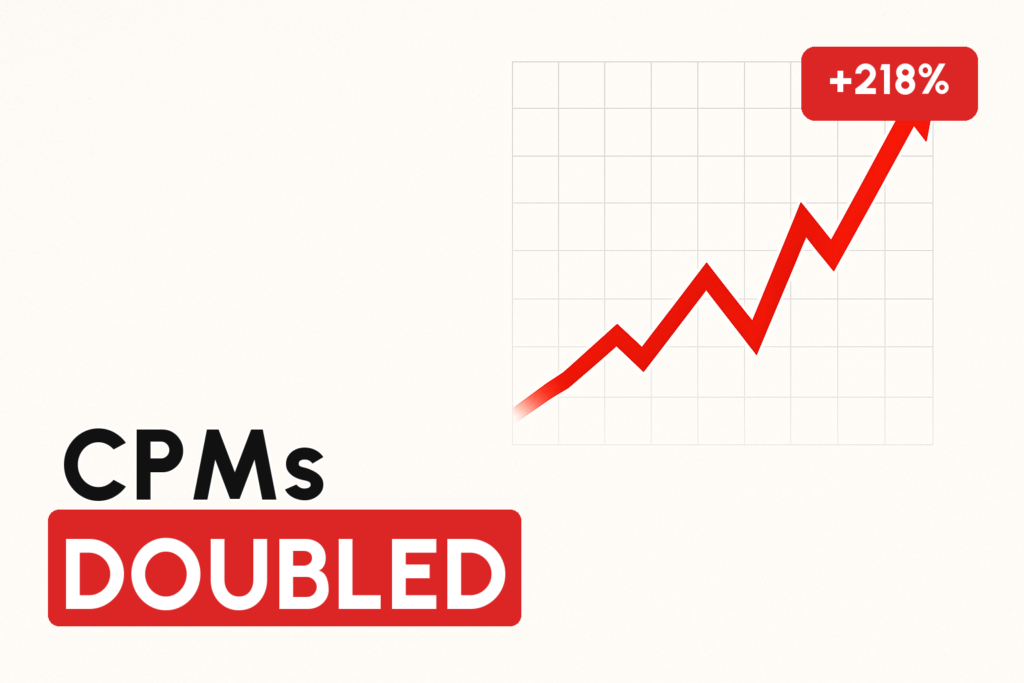
The pattern we see over and over: you get two, three, five ads knocked back close together, and suddenly the flag spreads. More of your ads start getting caught, and the ads that were already winning feel it too. Based on the client cases we’ve reviewed, CPMs on previously healthy ads can jump 30%, 50%, sometimes double. Not because those ads changed, but because the account itself is now under heavier scrutiny. And that flag doesn’t lift the moment you stop. In our experience it can take roughly one to two months to clear on its own. (If your costs spiked out of nowhere, this is one of the first things worth ruling out. See why your Facebook ads CPM increased suddenly.)
The practical rule we give clients is deliberately conservative. Never push more than about 10 ads in a row, even if they’re near-identical. Smaller batches mean that if something you’re testing turns out to be borderline, it gets caught in isolation instead of triggering a rejection wave. This matters most exactly when you’re least sure of the outcome: new angles, new avatars, hooks you haven’t run before. Note this is our own field guidance, not a Meta-published limit.
- Batch small. Around 10 ads max per push, so a bad apple can’t cascade.
- Watch the runners. A rejection wave shows up as rising CPMs on ads that were previously fine. That’s the flag talking, not the market.
- Go slower on the unproven. New angle or borrowed-feeling creative? Test it in tiny batches first.
The ad that ran fine for weeks, then got rejected out of nowhere
One of the most confusing cases is an ad that spent money happily for weeks and then got disapproved with nothing changed on your end. This isn’t a glitch and it isn’t random. In our experience it’s usually a delayed manual review, a human check that tends to land somewhere around three weeks to a month after an ad first goes live. The automated system waved it through on day one. A reviewer looked again later and pulled it.
Why that’s actually good news: because a person made the call, a person can be wrong. Where a manual reviewer has disapproved an otherwise compliant ad, that decision can be contested and, based on the reports we’ve seen, reversed. The reviewer simply misjudged a borderline ad. Contest it once, with a clean case, rather than resubmitting the same ad on a loop. That’s a very different situation from a genuine policy violation, and it’s one of the clearest “false positive you can fight” scenarios there is.
Contrast that with a wave of ads all getting rejected on the same day across your account. That signature usually isn’t about your specific ads at all. In our experience it lines up with Meta pushing an update to its review AI or tightening a policy. The same creative that sailed through last week can get blocked this week, and, frustratingly, the reverse is true too. An ad rejected today sometimes approves cleanly if you resubmit it a couple of weeks later, once the model shifts again. That’s exactly the week not to fight the filter ad by ad: soften what you can, keep something spending, and bring the bolder versions back once things calm down.
One rejection trigger people overlook: borrowed B-roll
Beyond the obvious causes, there’s a quieter one we flag for clients constantly. Using B-roll or footage that belongs to another shop or brand. Scraped clips, competitor footage, or stock-feeling snippets you don’t actually own can be enough on their own to get an ad flagged or rejected, even when the offer and landing page are perfectly clean. If a creative keeps getting knocked back for no reason you can see, check whether every second of footage in it is genuinely yours.
When the product is genuinely restricted, not wrongly blocked
Everything above is about false positives. But some categories aren’t misread at all. Prescription and telehealth products, certain health verticals. Meta’s own policy gates them, and no appeal talks your way past that. Trying to force those ads through is the fast lane to an account problem, not an approval.
For those regulated categories there’s a legitimate route rather than a workaround: LegitScript certification. It’s an independent compliance program, and Meta’s policy effectively treats it as the key. In our reading of Meta’s published policy, certified advertisers get the gates opened for products that would otherwise be rejected outright, and the same certification carries weight on Google, TikTok and LinkedIn. This is the honest version of “advertising restricted products”. You become compliant instead of pretending to be.
It is deliberately not easy, and it’s not for everyone. From what we’ve seen with clients who run it:
- Geography is limited. Availability is narrow, think US, Canada and New Zealand, and 18+ only.
- It’s a real investment. LegitScript’s own fees run in the region of ~$1K to apply plus $2K+ yearly, and that’s before the licensing, legal and prescription-funnel work around it.
- It takes months. In our experience enrolment is a 4-to-6-month process, not a switch you flip.
- You need the right partners. Certification hinges on real licensed professionals (e.g. a pharmacist), a compliant prescription quiz flow, and specialist payment processing. Standard processors typically won’t touch this.
One thing worth planning for early. Even fully certified brands running these offers tend to attract negative feedback and unauthorised-charge complaints from subscription-style prescription flows, which drags on ad performance. That’s why the brands doing this seriously also invest in protecting their Facebook feedback score. The certification unlocks the door, but account health is what keeps the ads performing once you’re through it.
FAQ
Why does Facebook keep rejecting my ad when it doesn’t break any rules?
Ad review is automated and errs toward blocking, so compliant ads get caught as false positives: an unlucky word, a misread image, a flagged landing page, or spillover from a degraded account. Those are recoverable, but don’t start by hammering the review button. Duplicate the ad as a slightly softer variant and tighten any ambiguous triggers first. If everything is suddenly rejected, the cause is usually your account health, not the individual ads.
Should I click Request review when my Facebook ad is rejected?
Not as your first move. Requesting a review once is fine, but resubmitting the same ad again and again is risky: in our experience, after the second or third attempt on an ad Meta keeps flagging, the whole ad account can end up restricted. Duplicate the ad as a small variant, soften the claim or wording, and get something running first. Keep the review request for a legitimate ad that still gets rejected after you’ve softened it.
Can you get any banned or rejected Facebook ad approved?
No, and anyone claiming they can is misleading you. Ads that were wrongly or borderline blocked (false positives) can be reviewed and put back live, and they tend to stay up. Genuinely non-compliant ads might sneak through once but get re-banned and erode your account trust. The honest fix for those is changing the ad, not forcing it.
How do I appeal a rejected Facebook ad?
Check the specific policy the rejection cites and confirm whether your ad actually touches it. Before appealing, duplicate the ad as a softer variant and clean up any ambiguous words, images or landing-page issues, since that version often goes through on its own. If the ad is legitimate and still rejected after that, request review once in Ads Manager rather than resubmitting on a loop. If wrongly-blocked ads keep piling up, have someone review the account health behind them, since a degraded account triggers stricter review.
Written by Mouss, founder of Unlimited Scaling, an agency that has helped 1,000+ e-commerce brands recover and protect their Meta ad assets. Based in Bali, he has spent 8+ years inside the mechanics of Meta’s ad ecosystem: feedback scores, HIVA tiers, agency accounts, bans and appeals, and shares field data from real client cases. Follow him on Instagram @mouss_unlimitedscaling.