Facebook Ad Account With No Spending Limit: How to Actually Scale Past the Cap
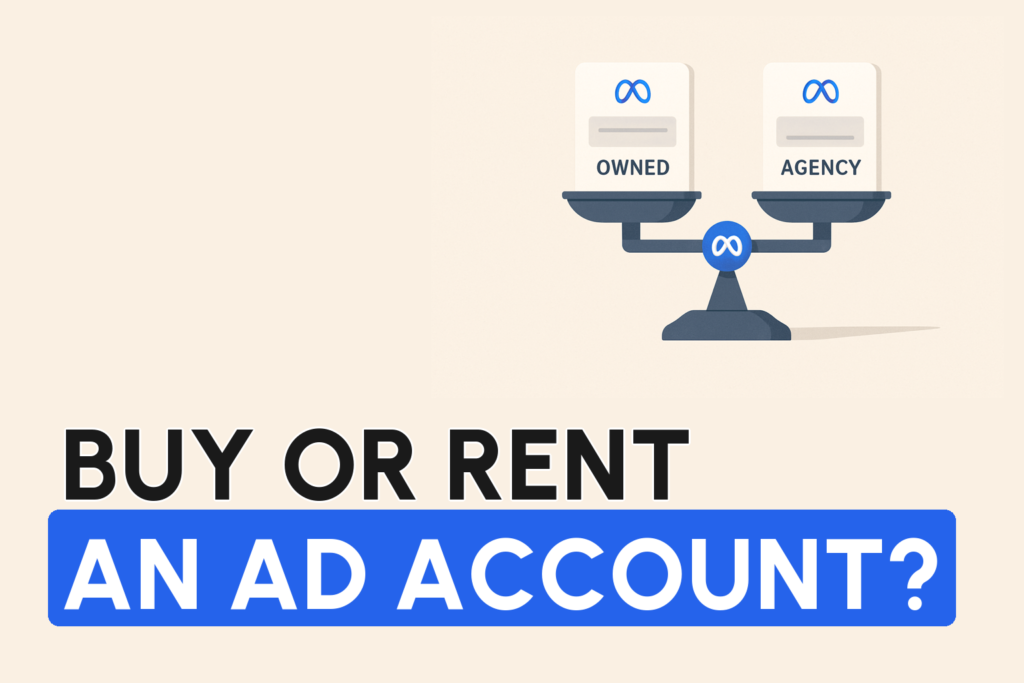
A Facebook ad account “with no spending limit” isn’t a setting you unlock. It’s a consequence of trust. Meta caps how much a new or low-history account can spend per day, and that cap only lifts as the account earns standing. The reliable way to run without a meaningful limit is to advertise under a high-trust Business Manager, which is exactly what an agency ad account gives you.
You’ve hit a wall. Meta simply won’t let you spend more, no matter how well your ads perform. Here’s the thing nobody tells you when that happens: you’re not doing anything wrong.
You’ve hit the account spend limit. It’s one of the most common things that quietly caps scaling, and almost nobody sees it coming.
Why does Facebook put a spending limit on your account?
Meta limits daily spend as a risk control. A brand new account has no track record, so Meta doesn’t yet know whether you’re a legitimate advertiser or a risk. It caps how fast money can move through the account until you’ve proven yourself.
New accounts often start with a low daily ceiling. It rises gradually as you spend consistently, pay reliably, and avoid violations. The problem? That ramp is slow. It’s unpredictable. And it can stall entirely the moment any trust signal dips.
The two limits people keep confusing
- The account spending limit. A lifetime or scheduled cap you (or Meta) set on total spend for the account. This one you can often raise or clear yourself in billing settings.
- The daily delivery ceiling. This is the real constraint. Even with no account-level cap set, Meta throttles how much a low-trust account can actually spend and deliver in a day. This is the one that quietly stops you from scaling, and it’s tied to the account’s standing, not a setting.
When people search for a “no spending limit ad account,” it’s almost always this second ceiling they’re hitting.
How to raise your spending limit the legitimate ways
On a standard account, you raise the ceiling by earning trust. There’s no shortcut.
- Spend consistently and scale gradually. Sudden 5x jumps look risky and can trigger throttling. Steady increases build tolerance.
- Keep payments clean. Reliable, verified payment methods with no failed charges signal a real business.
- Stay compliant. Rejections and violations drag your account trust down and hold the ceiling in place.
- Protect your feedback and quality signals. A weak feedback score or degraded account health makes Meta less willing to let you spend more, not more.
Done right, this works. But it’s slow, and it caps out. There’s a ceiling to how far a single self-serve account will go, no matter how patient you are.
How agency accounts actually remove the limit
Here’s what agency accounts don’t advertise. The reason an agency ad account runs with a high or effectively no spending limit isn’t a trick. It’s that the account operates under a Business Manager Meta already trusts. That established standing means the account starts above the ramp most brands spend months climbing.
In our experience, that’s the whole difference. It’s fighting a daily ceiling every time you try to scale, versus simply not hitting one. It’s the single most common reason brands move to agency accounts.
One catch, and it matters. This only holds when the account comes through a legitimate, official Meta reseller. A “high spend” account bought off a grey-market seller carries the opposite of trust. It’s a liability that can vanish mid-scale.
Before you chase “unlimited,” check this
“No spending limit” is a headline, not a plan. Here’s what actually matters underneath it.
- Real headroom. Ask what daily spend the account actually supports for a business like yours, not just the marketing word “unlimited.”
- Cash flow and top-ups. Agency billing often works differently from self-serve, with pre-funding and top-ups. Higher spend headroom is useless if the payment rhythm strangles your cash flow.
- Legitimacy. Official reseller, not a marketplace listing.
- Fit. Not every niche or history qualifies for the best accounts. The right setup depends on your business.
Lift the ceiling the right way
Getting past the spend limit without getting flagged, matching the right high-trust account to your business and structuring it to scale, is exactly what our team does. Unlimited Scaling has helped 1,000+ e-commerce brands run on the right Meta assets and scale past the ceilings that stall everyone else. No guarantees, no grey-market accounts. Just the right structure.
The velocity limit that matters more than the number
Most people obsess over the dollar figure on their account and forget there’s a second, invisible cap. It’s how fast you’re allowed to move toward it. In our experience, the quickest way to get an otherwise healthy account throttled isn’t hitting the ceiling. It’s sprinting toward it. Meta doesn’t publish a scaling-speed rule, but the pattern we see across accounts is consistent. Sudden budget jumps read as anomalous behaviour, and anomalous behaviour invites review.
The working rule we give clients is deliberately conservative. Don’t increase a budget by more than roughly 20% every 4 hours. Aggressive scaling, doubling or tripling a budget overnight, tends to trigger the exact outcomes you’re trying to avoid. Poorer delivery. More ad rejections. A higher chance of a restriction. None of this is Meta-published mechanics. It’s simply what we’ve watched happen again and again.
- Slow beats sudden. A 20% bump lets the algorithm re-stabilise delivery before the next increase, so you keep your learning instead of resetting it.
- Overnight jumps reset the learning. A budget that leaps from $500 to $2,000 in one edit often re-enters an unstable delivery phase. CPMs spike and results get worse right when you wanted them better.
- A high cap you scale into slowly is worth more than a high cap you rush. The limit is permission to spend, not an instruction to spend it all today.
The real ceiling isn’t the spend cap. It’s your CPM
Here’s the reframe that changes how experienced brands think about “unlimited” spending. On most accounts the thing that actually stops you scaling isn’t a number Meta set on your account. It’s audience saturation. When you run one page, one avatar, one angle, you keep re-serving the same pool of people. Frequency climbs, your CPM climbs with it, and profit evaporates long before you ever bump into a spending limit. You don’t hit a wall labelled “limit.” You hit a wall labelled rising CPM.
The brands we see doing $50k and $100k days don’t solve this by begging Meta for a bigger cap. They scale horizontally, spreading the same product across multiple pages, each speaking to a different avatar. One client we worked with went from stuck at roughly $8k days to about $35k days in six weeks. Same product, same offer. All they did was split one page into five avatar-specific pages. The only thing that changed was who was speaking to whom.
The math is the part people miss. Take a budget that produces a ~$30 CPM on one saturated page. Split that same budget across five avatar pages and, in the accounts we’ve seen, each page tends to run closer to $15 to $18, because you’re reaching audiences your competitors haven’t touched. Same total spend, far more reach, better economics. And now you have room to scale each page higher. That’s what a bigger spending limit is actually for.
Two things make this work rather than backfire.
- Warm the pages first. A brand-new page with no posts, no followers and no history tends to get treated as high risk, which in practice means higher CPMs and faster restriction. A warmed page, in our experience, can outperform a cold one many times over. Post a little, get some genuine engagement, make it look real before you point real budget at it.
- Give each page its own reputation to protect. Each page carries its own standing with Meta, including its own feedback score. Spread across five pages, a bad week on one costs you ~20% of revenue instead of the whole business.
Not every “no limit” account is the same. The tier problem
The section above explains why an agency ad account removes the practical spending ceiling. What’s less obvious is that “agency account” isn’t one product. The quality underneath varies enormously, and that variance decides whether your uncapped account stays stable or quietly collapses.
Based on what we’ve seen in this space, agency business managers effectively sit in tiers of trust. The top tier is former official trusted-partner infrastructure. The lowest is ordinary business managers that were simply “warmed up” over time until they could be re-rented. None of this is a Meta-published grading system. It’s how the accounts actually behave in practice.
- Tier-one, ex-trusted-partner pools tend to hold the highest ad-approval rates and the most stable delivery. If your business is strong, these “white-hat” pools are worth prioritising.
- Warmed-up standard BMs can build real trust too, but only if the provider is genuinely strict on compliance and protective of the pool. Many aren’t, and you find out the hard way after weeks of spend when a restriction lands.
- Misused pools compound downward. If earlier clients ran bad ads on the same business manager, that reputation drags on everyone in the pool. You inherit their history.
Two practical caveats that rarely get mentioned.
- Cash flow changes. Most agency accounts are prepaid. You top the balance up before you spend, rather than getting charged days later on a card. Uncapped spend is great. Just plan the working capital.
- Match the account to the niche. For sensitive categories, you want a pool that’s genuinely whitelisted for that vertical, not a generic account you hope survives.
If you’re weighing providers, our deeper breakdown of agency ad accounts and how high-value advertiser standing interacts with your delivery is a better starting point than picking on price alone.
Unlocked a high cap? Now protect it from overspend
Removing the ceiling cuts both ways. The same uncapped account that lets you scale to $100k days can also burn tens of thousands in minutes during a Meta delivery outage, with little to show for it. We’ve seen accounts torch a budget inside an hour when something breaks on Meta’s side. A few defensive habits before you push a high cap.
- Set spend rules in Ads Manager. They won’t fully save you in a fast outage, but they cap the damage.
- Don’t reach straight for a chargeback. In our experience, filing a bank chargeback against Meta tends to get the ad account banned. You lose your performance data, your learning and your optimised delivery, and you start from zero. Persistent, polite support requests have won partial refunds for some of our clients. Aggression rarely does.
- Treat a high limit as a responsibility, not a trophy. The point of scaling past the cap is durable spend, not a single risky night.
FAQ
How do I get a Facebook ad account with no spending limit?
There’s no button that removes the limit. On a standard account you raise it over time by spending consistently, keeping payments clean, and staying compliant. The reliable way to run with a high or effectively no limit is an agency ad account sourced through an official Meta reseller, because it runs under a Business Manager Meta already trusts.
Why is my Facebook ad account spending limit so low?
Because the account hasn’t earned Meta’s trust yet. New or low-history accounts get a low daily ceiling as a risk control; it rises gradually with consistent spend, reliable payments, and a clean compliance and feedback record. A dip in any of those signals can hold it in place or lower it.
Can I remove the Facebook ad spending limit myself?
You can clear the account-level spending limit in billing settings, but that doesn’t remove the real constraint, the delivery ceiling Meta applies to a low-trust account. That one only lifts as the account earns standing, or by running under an already-trusted Business Manager such as an agency account.
Is a high-spend agency account safe?
Yes, when it comes through an official Meta reseller, which is how most advertisers at scale run. What’s risky is buying a ‘high spend’ or ‘aged’ account from a grey-market seller; those are often flagged or fake and can be lost mid-campaign along with your data.
Written by Mouss, founder of Unlimited Scaling, an agency that has helped 1,000+ e-commerce brands recover and protect their Meta ad assets. Based in Bali, he has spent 8+ years inside the mechanics of Meta’s ad ecosystem, feedback scores, HIVA tiers, agency accounts, bans and appeals, and shares field data from real client cases. Follow him on Instagram @mouss_unlimitedscaling.